Love Paper Sculpture

Basic Information
| MachineLX1 |
| MaterialPaper |
| Size209 x 185 mm |
| Software UsedLaserPecker Design Space PC |
| Production Time30 min |
| Engraving Difficulty |
How-to Tutorial
Step 1
Open the file and connect the machine. As shown in Picture 1 and Picture 2, keep this layer in the line model, and for all other layers, click the to cut button to place them into the cut model. In this way, you can perform cutting tasks while also drawing lines simultaneously.
Begin by placing the red paper on the cutting plate. Adjust the focal length, verify the size, preview the position, and determine the engraving parameters. Once everything is set, proceed to start engraving and cutting.
Additionally, if you use different materials, you will need to adjust the parameters yourself.
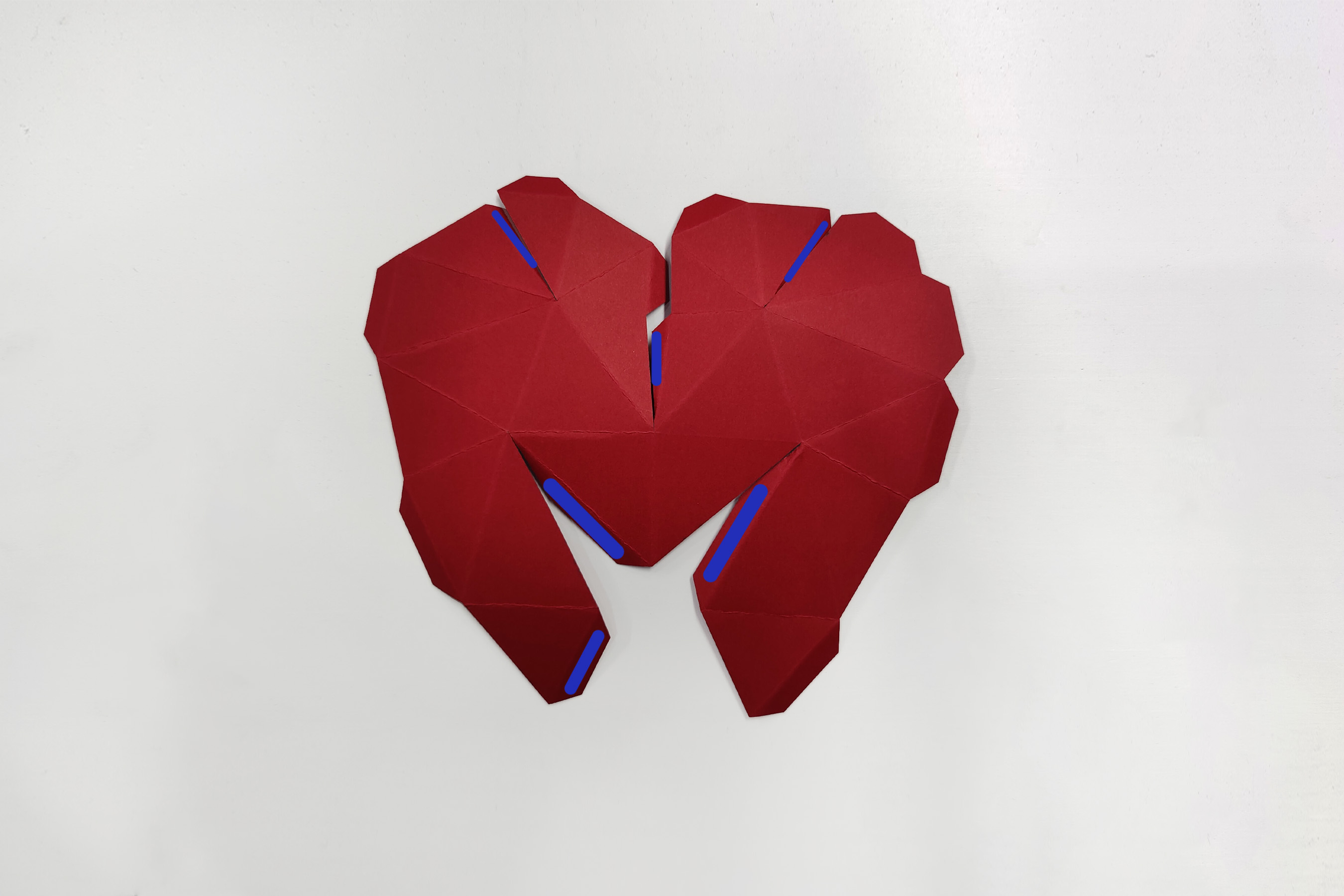
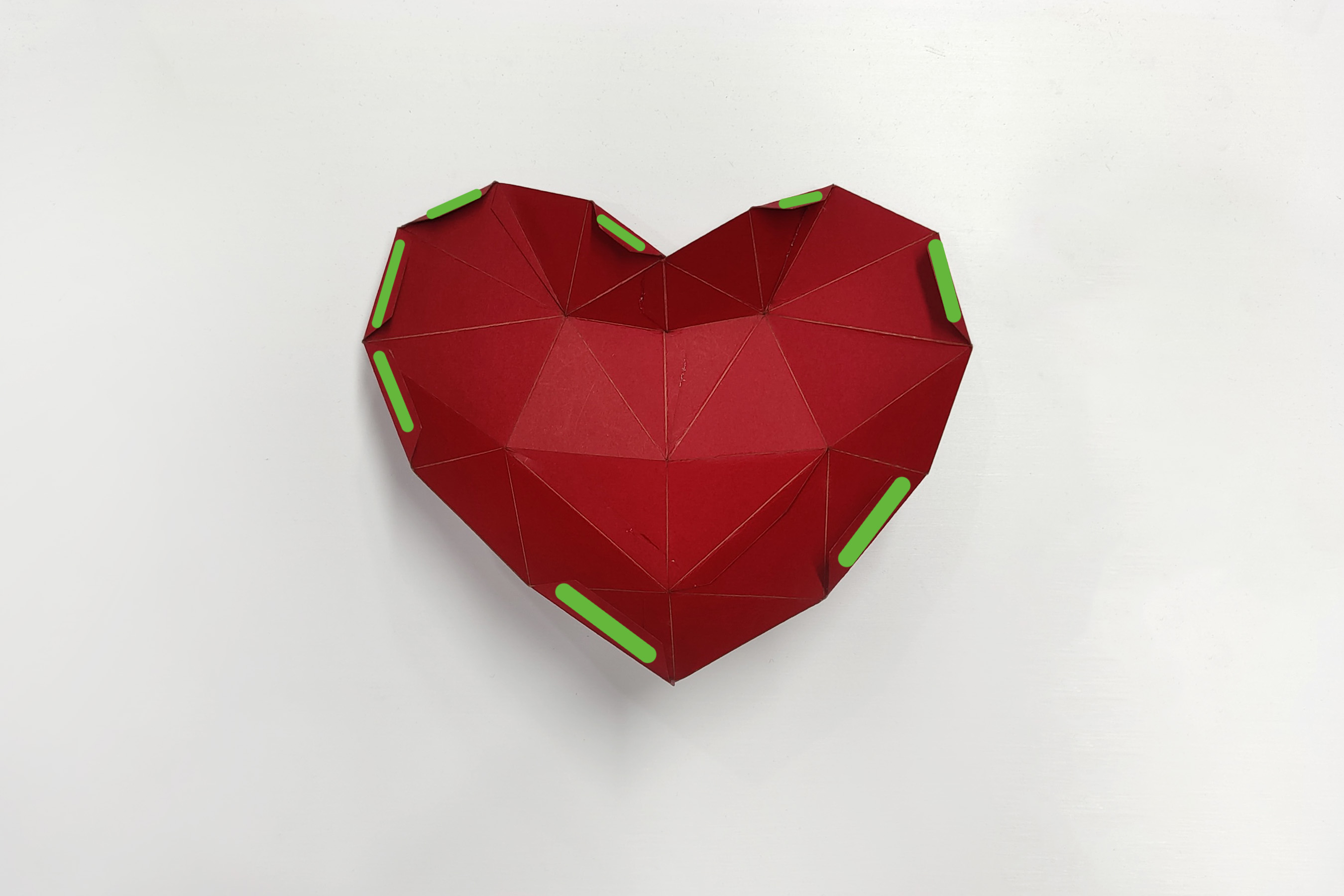
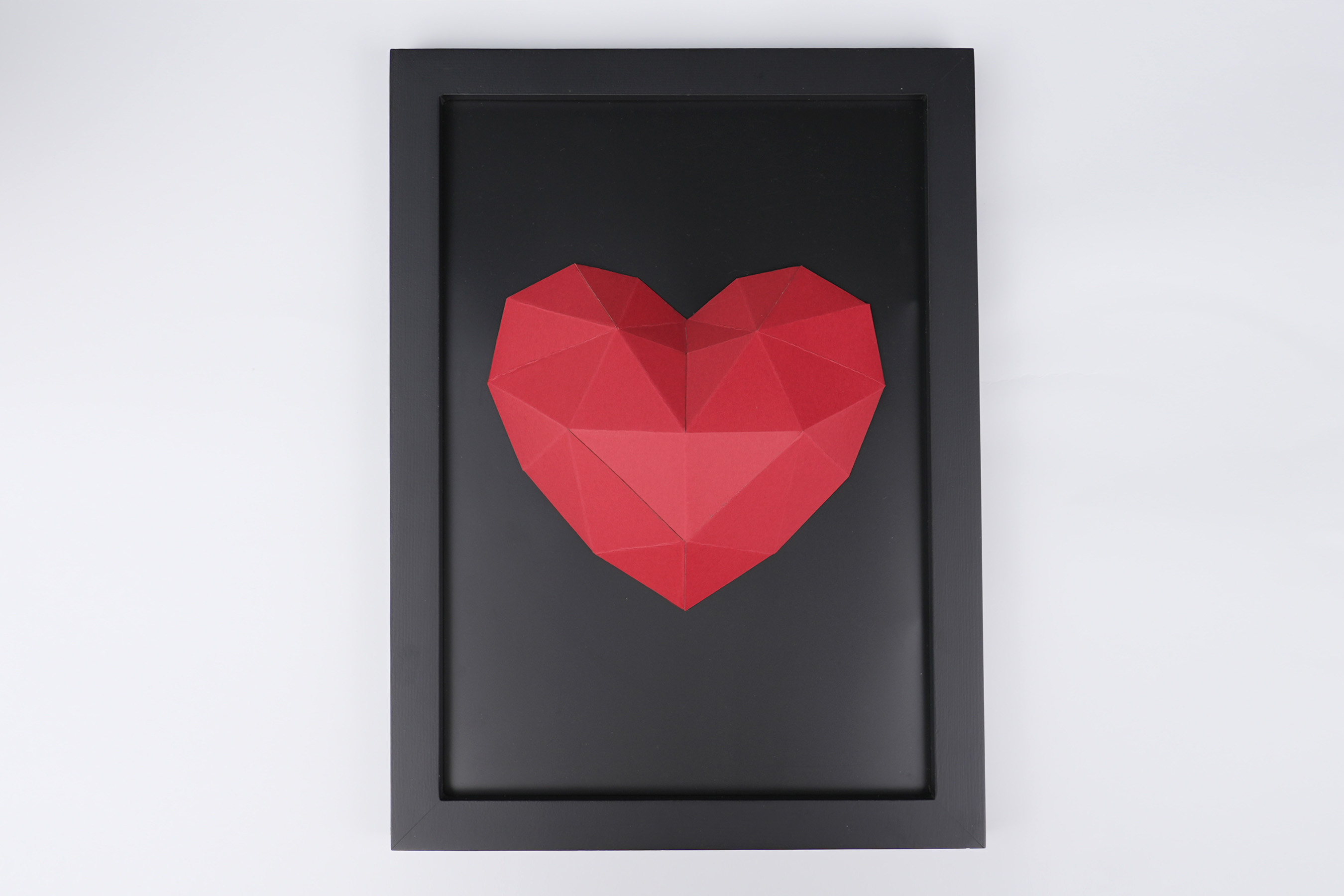
Follow the lines to fold and crease, as shown in the picture. Apply glue to the blue areas and stick them to the adjacent parts. Then apply glue to the green areas and stick them to the black cardboard. Finally, add a frame, and the decoration is complete. Decorate your home now.
Settings 1
| Engraving MethodLine |
| MaterialPaper |
| Power10% |
| Depth1% |
| Pass1 |
| Acceleration Level1 |
| Module Type20 W 450 nm |
Settings 2
| Engraving MethodLine |
| MaterialPaper |
| Power100% |
| Depth10% |
| Pass1 |
| Acceleration Level1 |
| Module Type20 W 450 nm |
Design Files
LaserPecker Design Space V2.5.1 or above is recommended.