Open in LDS
Adventure Begins Dinner Plate
How-to

LaserPecker
2023/12/15 12:22 7
engrave your favorite graphics for your dish.
Basic Information
| MachineLP4 |
| MaterialCeramics |
| Size35 x 37 mm |
| Software UsedLaserPecker Design Space PC |
| Production Time5 min |
| Engraving Difficulty |
How-to Tutorial
Step 1
Open the file and connect the machine. Place the dinner plate on the Plate. Adjust the focal length, verify the size, preview the position, and determine the engraving parameters.. Next, you can start engraving.
Settings 1
| Engraving MethodFill |
| MaterialCeramics |
| Resolution2 K |
| Power100% |
| Depth50% |
| Pass1 |
| Module Type2 W 1064 nm |
Step 2
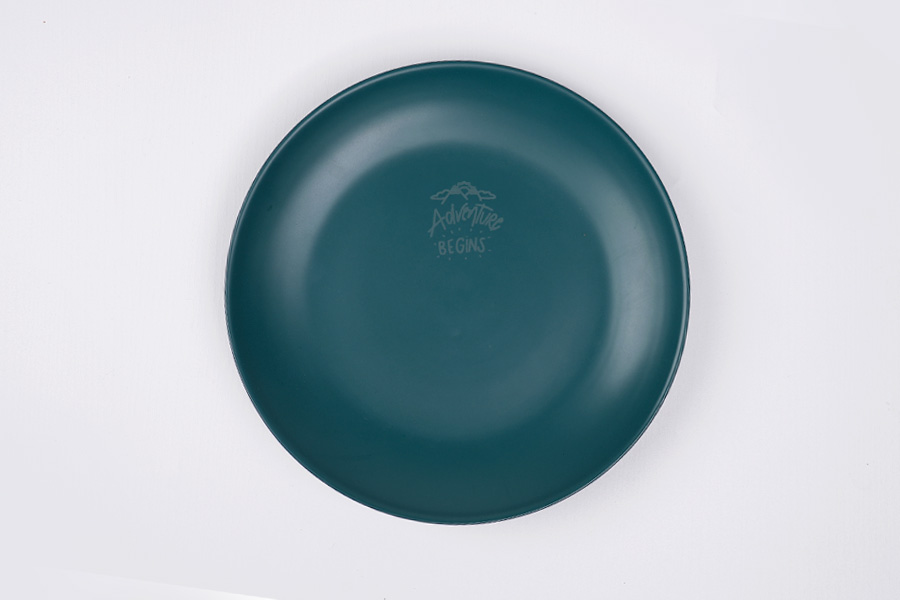
A creative dinner plate is completed.
If you're using different materials, remember to adjust the parameters accordingly.
Design Files
LaserPecker Design Space V2.5.1 or above is recommended.

223c9537c38e4ee3a5ca3808e0326297__%3AAdventure%20Begins%20Dish.lp2
Open in LDSDownload
6
food
dinner plate