
LaserPecker
Leather Bookmark
How-to
- Machine
- LP4
- Material
- Leather
- Size
- 50 x 50 mm
- Software Used
- LaserPecker Design Space PC
- Production Time
- 3 min
- Engraving Difficulty
Design Files
2024/02/23 19:5810
Introduction
To infuse our reading moments with fun and delight, let's experiment with carving creatively intriguing patterns on leather bookmarks!
How-to Tutorial
Step1:
Open the file and connect the machine. Begin by placing a blank book marker on the cutting plate. Adjust the focal length, verify the size, preview the position, and determine the engraving parameters. Once everything is set, proceed to start engraving.
Additionally, if you use different materials, you will need to adjust the parameters yourself.
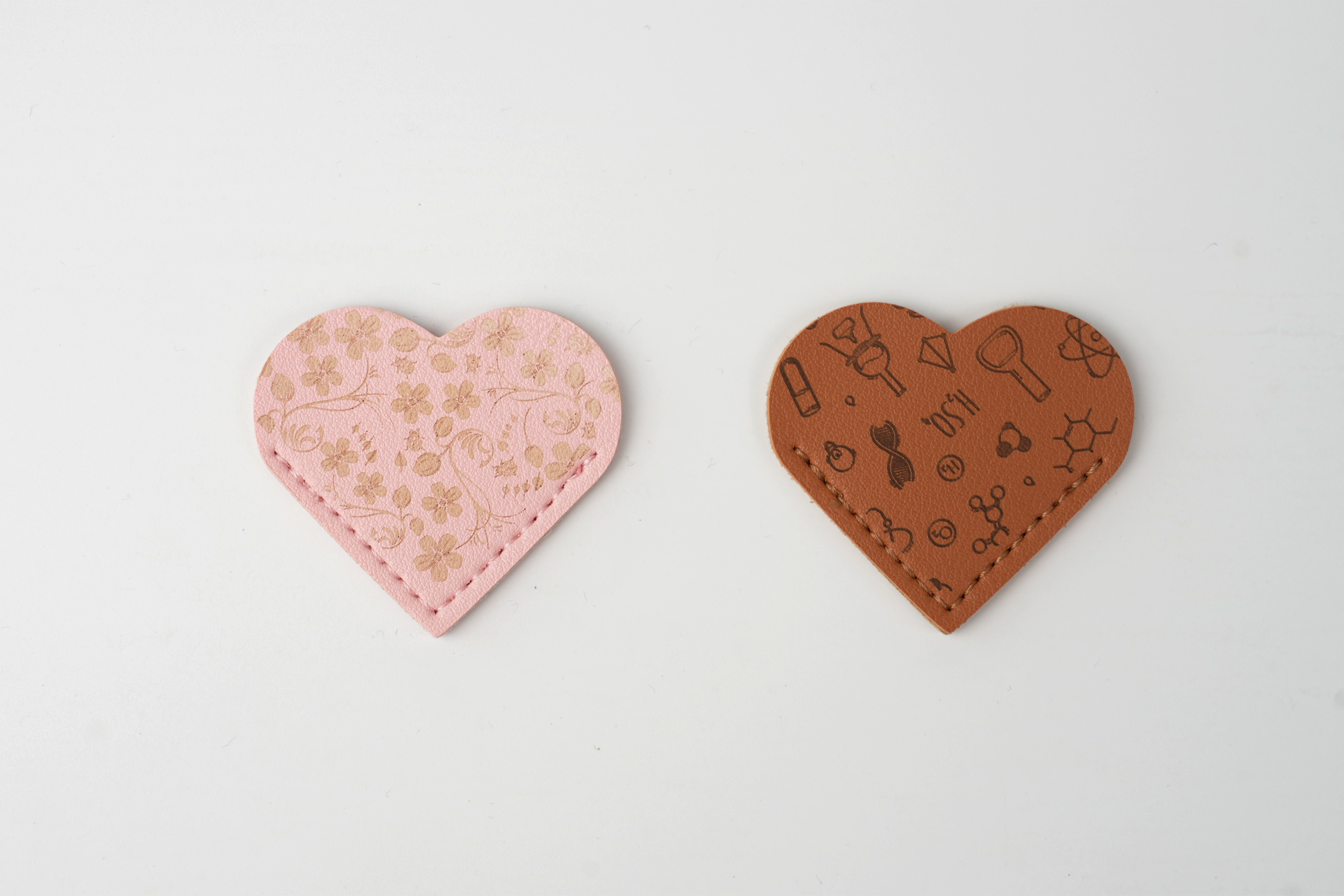
Once the engraving is completed, it's ready to be used by placing it between the pages of a book.
Settings 1
- Engraving Method
- Fill
- Material
- Leather
- Resolution
- 2 K
- Power
- 25%
- Depth
- 2%
- Pass
- 1
- Module Type
- 10 W 450 nm
Good Life

Comments