
LaserPecker
Wedding Signage
How-to
- Machine
- LX1
- Material
- Wood
- Size
- 372 x 374 mm
- Material Information
- 3mm Basswood Plank
- Software Used
- LaserPecker Design Space PC
- Production Time
- 30 min
- Engraving Difficulty
Design Files
2023/12/29 17:445
Introduction
Make a guide sign for the wedding.
How-to Tutorial
Step1:
Connect the machine and open the file. Begin by placing a 3mm basswood plank on the cutting plate. Adjust the focal length, verify the size, preview the position, and determine the engraving parameters. Once everything is set, proceed to start engraving and cutting at the same time.
Note that if you're using different materials, remember to adjust the parameters accordingly.
Settings 1
- Engraving Method
- Fill
- Material
- Wood
- Resolution
- 2 K
- Power
- 25%
- Depth
- 3%
- Pass
- 1
- Acceleration Level
- 1
- Module Type
- 20 W 450 nm
Settings 2
- Engraving Method
- Line
- Material
- Wood
- Power
- 70%
- Depth
- 80%
- Pass
- 1
- Acceleration Level
- 1
- Module Type
- 20 W 450 nm
Step2:
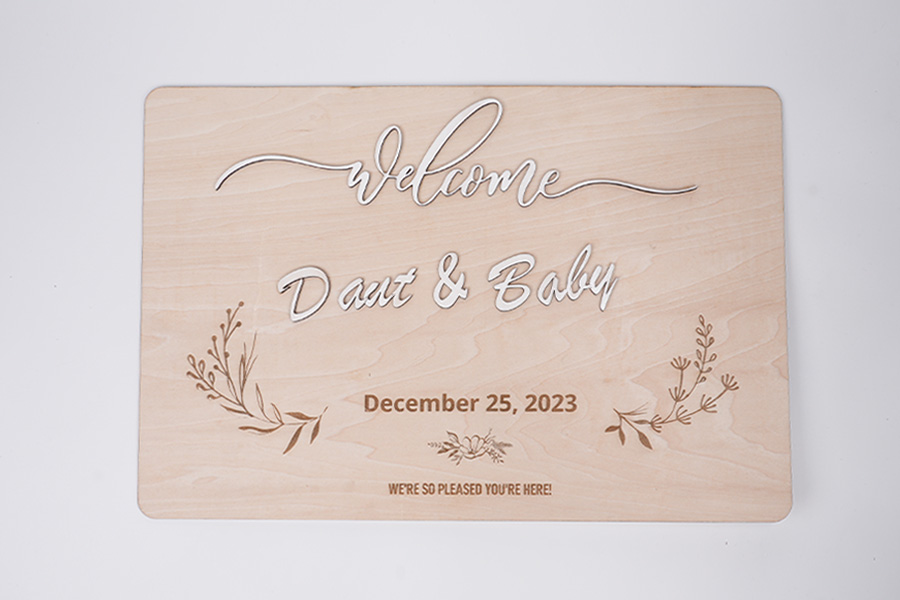
Next, paint the cut fonts and paste them in the appropriate position.The wedding signage is ready.
Wedding

Comments