

LaserPecker
Rock Chopping Board
How-to
- Machine
- LP4
- Material
- Stone
- Size
- 88 x 51 mm
- Software Used
- LaserPecker Design Space PC
- Production Time
- 15 min
- Engraving Difficulty
Design Files

2024/01/29 16:165
Introduction
engrave your favorite graphics for your rock chopping board!
How-to Tutorial
Step1:
Open the file and connect the machine. Place the Shale slab on the Plate. Adjust the focal length, verify the size, preview the position, and determine the engraving parameters.. Next, you can start engraving.
Settings 1
FillShale slab
- Engraving Method
- Fill
- Material
- Shale slab
- Resolution
- 2 K
- Power
- 100%
- Depth
- 10%
- Pass
- 1
- Module Type
- 2 W 1064 nm
Step2:
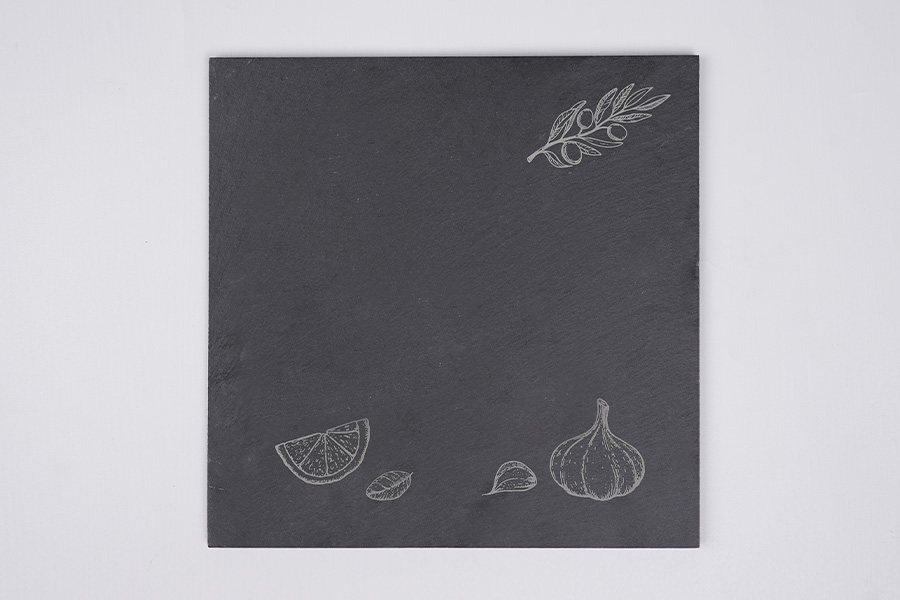
A creative rock chopping board is completed.
Step3: Note
If you're using different materials, remember to adjust the parameters accordingly.
Rock
Chopping Board

Comments