
在LDS中打开
Chinese Dragon Year Paper Cutting
操作方法

LaserPecker
China2024/02/02 14:25 31
The traditional Chinese New Year is fast approaching, so let's create a beautiful red paper cutting to decorate our homes in celebration!
基本信息
| 机器LX1 |
| 材质纸 |
| 尺寸197 x 199 mm |
| 制作时间15 分钟 |
| 雕刻难度 |
操作说明
步骤 1
Open the file and connect the machine. Begin by placing the red paper on the cutting plate. Adjust the focal length, verify the size, preview the position, and determine the engraving parameters. Once everything is set, proceed to start cutting.
Additionally, if you use different materials, you will need to adjust the parameters yourself.
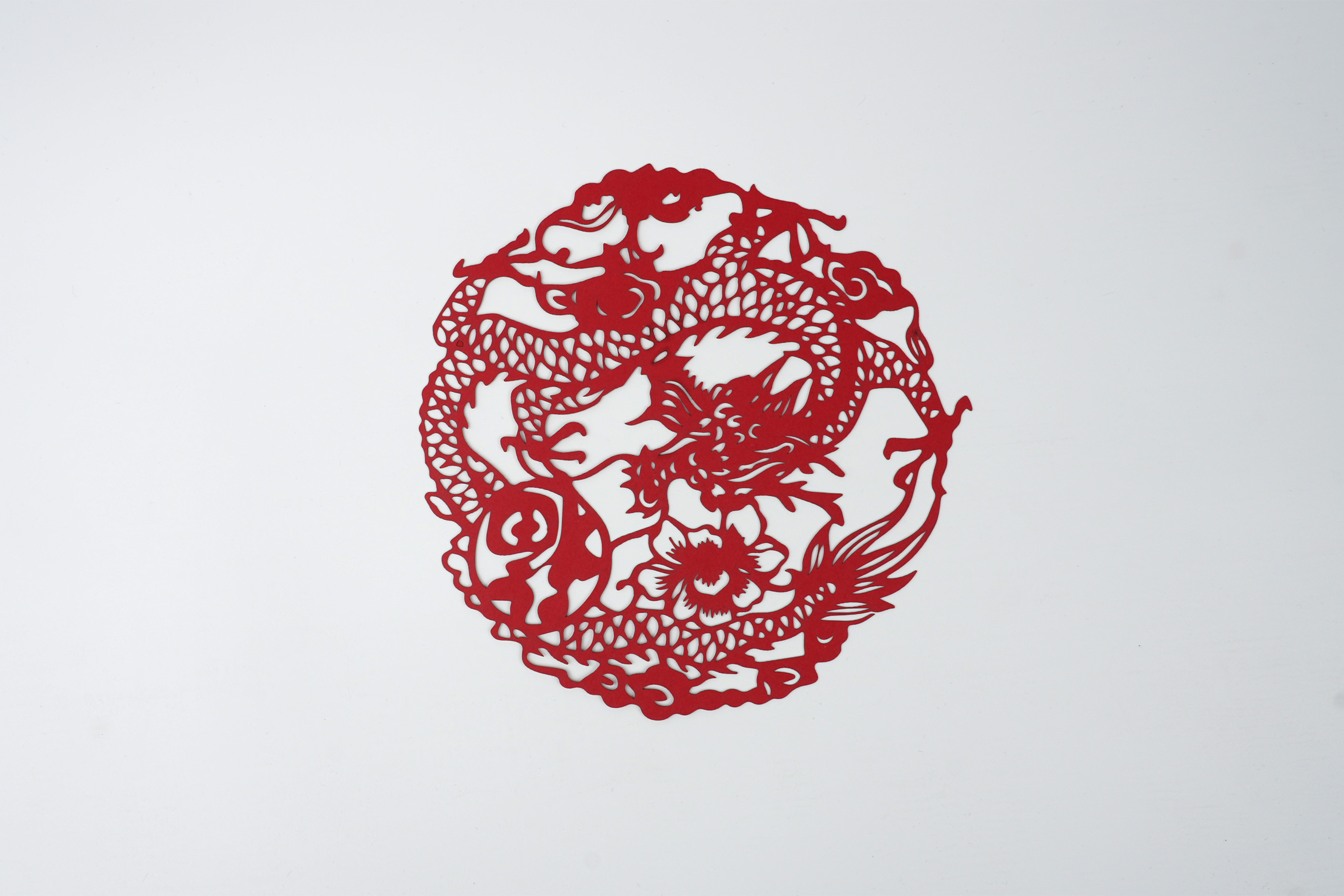
After cutting, you can paste it on the window or wall.
设置 1
| 雕刻方式线条雕刻 |
| 工艺材质纸 |
| 功率100% |
| 深度10% |
| 雕刻次数1 |
| 加速级别1 |
| 模块类型20 W 450 nm |

5
新年快乐
美好生活
